
How to Install IPTV on Xbox?
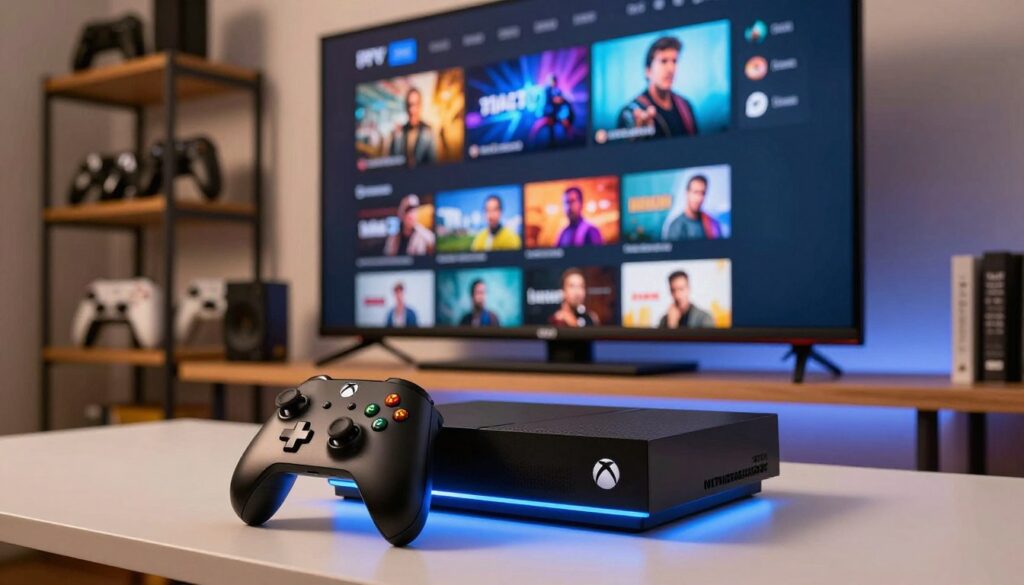
Transforming your gaming console into a versatile media hub is simpler than you might imagine. By choosing to stream UK channels through your existing hardware, you can easily consolidate your entertainment needs into one powerful device. This comprehensive guide provides a clear path to modernise your viewing habits. We will walk you through the necessary steps to ensure your digital experience remains seamless and high-quality. Following this IPTV setup guide allows you to enjoy your favourite programmes without needing extra equipment. You will soon discover why this method is the most efficient way to manage your media library at home. Key Takeaways Understanding the Compatibility of IPTV on Xbox Modern Xbox consoles are far more than just gaming machines; they are powerful hubs for digital media streaming. By leveraging the advanced processing power of these devices, you can transform your television into a comprehensive entertainment centre. It is essential to recognise that your console is designed to handle high-definition video content with ease. When considering the use of IPTV on Xbox, it is helpful to understand how the system interacts with third-party applications. These apps act as a bridge, allowing your console to decode and display live streams directly through your internet connection. Most modern consoles provide a stable environment for this, provided you have a reliable network setup. Not all hardware generations perform the same way when it comes to digital media streaming. While the newer Series X and Series S consoles offer superior performance and faster loading times, the Xbox One family remains a capable choice for most users. Choosing the right device ensures that your experience remains smooth and free from unnecessary technical hurdles. To help you determine if your hardware is ready for IPTV on Xbox, we have compiled a quick comparison of the most common console models available in the United Kingdom today. Console Model Streaming Capability Performance Level Xbox Series X Excellent (4K Ready) High Xbox Series S Excellent (1440p) High Xbox One X Very Good (4K) Medium-High Xbox One S Good (1080p) Standard Essential Requirements Before You Begin Setting up your console correctly is the first step toward a seamless viewing experience. Taking a few moments to verify your system status helps you avoid common technical hurdles later on. Proper preparation ensures that your device is fully ready to handle new software installations without any unexpected interruptions. Checking Your Xbox Model and Firmware Before you start, it is vital to verify that your Xbox firmware is fully updated to the latest version provided by Microsoft. An outdated system can often prevent third-party applications from launching or functioning as intended. You can easily check this by navigating to the system settings menu on your dashboard. Look for the “System” tab and select “Updates” to see if a new version is available. Keeping your console current ensures that you have the latest security patches and compatibility features. This simple step creates a stable environment for all your media streaming needs. Ensuring a Stable Internet Connection A stable internet connection is the backbone of any high-quality streaming setup. Without a consistent flow of data, you may experience frequent buffering or poor video resolution during your favourite programmes. We recommend testing your network speed through the console settings to confirm it meets the minimum requirements for smooth playback. If you find that your connection is inconsistent, consider the following comparison to help you decide on the best setup for your home: Connection Type Stability Speed Potential Best For Wired Ethernet Excellent High 4K Streaming 5GHz Wi-Fi Good Medium-High HD Streaming 2.4GHz Wi-Fi Fair Low-Medium General Browsing Choosing a wired connection whenever possible will provide the most reliable results. By maintaining a stable internet connection and keeping your Xbox firmware up to date, you set yourself up for a trouble-free experience. Selecting a Reliable IPTV Service Provider Selecting a reliable service is essential for a smooth and enjoyable viewing session. When you decide to purchase an IPTV subscription, you are essentially choosing the gateway to your home entertainment. Taking the time to research your options now will save you from frustration later. Evaluating Subscription Plans and Channel Lists Most providers offer various tiers, so look for one that aligns with your specific viewing habits. It is vital to confirm that the provider offers a robust selection of content, especially if you want to stream UK channels consistently. Check the channel list carefully to ensure your favourite sports, news, and entertainment networks are included. Many services provide trial periods or monthly plans. We recommend starting with a short-term IPTV subscription to test the quality before committing to a long-term contract. This approach allows you to verify if the stream quality meets your expectations for high-definition viewing. Verifying Service Reliability and Customer Support Consistent service uptime is the hallmark of a high-quality provider. You should look for reviews that mention stable connections, as nobody wants their favourite programme to buffer during a crucial moment. Reliable providers often invest in strong server infrastructure to ensure you can stream UK channels without constant interruptions. Customer support is equally important when technical issues arise. A professional provider will offer multiple ways to get help, such as live chat or email ticketing systems. The following table highlights the key features you should look for when comparing different services: Feature Essential Requirement Why It Matters Channel Variety Broad UK Coverage Ensures access to local content. Uptime Guarantee 99.9% Reliability Prevents frequent buffering. Support Channels 24/7 Live Assistance Resolves technical errors quickly. Trial Availability Free or Low-Cost Allows for risk-free testing. Preparing Your Xbox Console for Third-Party Applications Before you can enjoy your favourite media, you must ensure your console is properly configured for third-party installations. Taking these initial steps helps you avoid potential compatibility issues later on. Proper preparation is the key to a seamless experience when you start adding new software to your device. Navigating the Microsoft Store The primary hub for all your software needs is the digital storefront on your console.
What Is M3U in IPTV & How Does It Work in the UK?
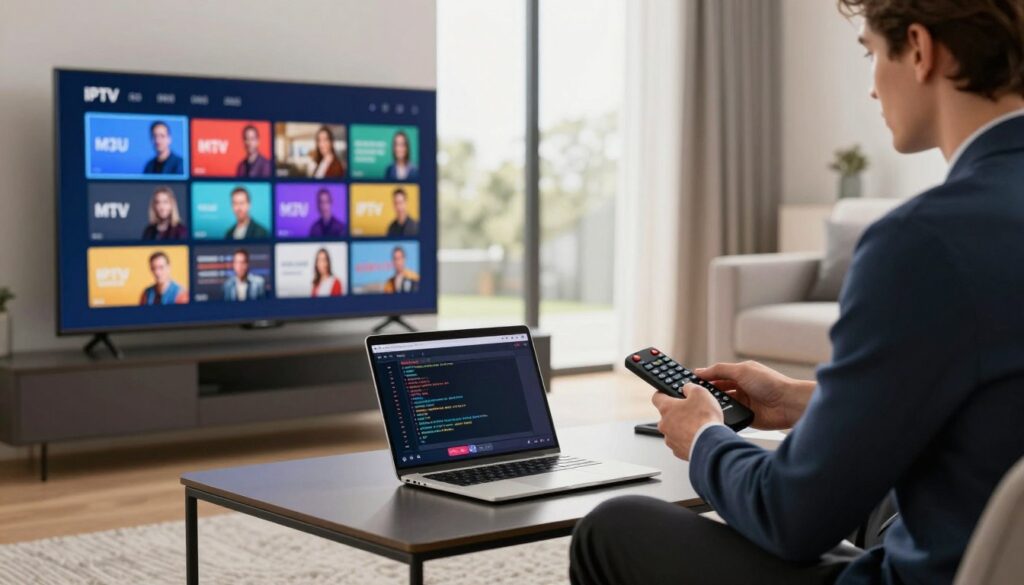
Have you ever wondered how your favourite digital content reaches your screen so seamlessly? At the heart of modern entertainment lies a simple yet powerful file format known as M3U in IPTV. These text-based files act as a vital bridge, connecting remote media servers directly to your chosen viewing device. For those exploring IPTV streaming UK options, understanding this technology is essential. It essentially provides a structured list of links that your player uses to fetch live broadcasts or on-demand programmes. By organising these streams efficiently, it ensures a smooth experience for viewers across the country. This format has quickly become the industry standard for IPTV streaming UK enthusiasts who want to manage their media libraries with ease. Whether you are setting up a new device or simply looking to optimise your current setup, mastering M3U in IPTV will help you take full control of your digital viewing habits. Key Takeaways Understanding the Basics of M3U in IPTV If you have ever wondered how thousands of channels appear in one tidy list, the answer lies in the M3U file format. At its heart, M3U in IPTV is simply a plain text document that acts as a roadmap for your media player. Instead of complex code, these files contain a structured list of web addresses pointing to live television streams or on-demand video content. By using these files, you can transform a chaotic collection of links into a single, manageable interface. This allows you to browse through your favourite programmes without needing to switch between different apps or websites. It is a brilliant way to keep your digital entertainment organised and accessible. For those new to the world of streaming, the simplicity of M3U in IPTV is a major advantage. You do not need to be a technical expert to get started, as most modern players handle the heavy lifting for you. Once you import the file, the software automatically populates your screen with channel names, logos, and categories. “The beauty of modern streaming lies in its ability to make complex data feel effortless for the everyday user.” There are several reasons why this format remains a staple for UK viewers: Ultimately, M3U in IPTV provides a flexible foundation for your viewing habits. By understanding these basics, you are well on your way to creating a personalised streaming experience that works exactly the way you want it to. The Technical Architecture of M3U Playlists If you have ever wondered how your device knows which channel to play, this M3U playlist guide will reveal the answer. At its core, an M3U file is a simple text document that acts as a roadmap for your media player. It provides the necessary instructions to locate and display digital content from a remote server. Structure and Syntax of M3U Files The syntax of these files relies on specific tags that tell the player how to handle each stream. Without these markers, the player would simply see a list of random web addresses rather than a structured list of television channels. Most files follow a standard format that includes these essential components: “Data integrity is the foundation of a seamless streaming experience; if the syntax is broken, the connection will inevitably fail.” How IPTV Players Interpret M3U Data Once you load a file, your IPTV player begins a process called parsing. It reads the text line by line, looking for the specific tags mentioned above to build an internal database of your channels. The player uses this information to render an Electronic Programme Guide (EPG) on your screen. Correct formatting is vital because even a single missing character can prevent the player from communicating with the source server. When the syntax is perfect, the player can instantly request the correct stream, ensuring that your viewing remains smooth and uninterrupted. By following this M3U playlist guide, you can better appreciate the behind-the-scenes mechanics that power your home entertainment. Understanding these technical details helps you troubleshoot common errors and ensures your setup remains highly efficient. The Legal Landscape of IPTV Services in the United Kingdom Understanding the legal framework for digital media is vital for every responsible viewer in Britain. Navigating the complexities of IPTV legal UK standards ensures that you can enjoy your favourite entertainment without any unnecessary worry. By familiarising yourself with current digital streaming regulations, you protect your home network and your personal data. Copyright Laws and Digital Streaming Regulations In the United Kingdom, the law is quite clear regarding the distribution of copyrighted material. Content creators and broadcasters hold exclusive rights to their work, and any unauthorised transmission is considered a breach of these protections. Modern digital streaming regulations are designed to ensure that creators are fairly compensated for their efforts. When you access content through an official platform, you are supporting the industry and ensuring the continued production of high-quality shows. It is important to remember that streaming platforms must hold valid licences to broadcast specific channels or programmes. If a service offers premium content for a suspiciously low price, it often indicates that they lack the necessary legal permissions. Distinguishing Between Legal and Illegal IPTV Providers Identifying a legitimate service provider is easier than you might think if you know what to look for. A reputable IPTV legal UK provider will always be transparent about their business operations and licensing agreements. You should feel confident in your choice by verifying a few key details before you sign up for any subscription. Consider these essential tips to ensure you are using a safe and authorised service: By choosing services that respect copyright laws, you contribute to a healthier digital ecosystem. Staying informed allows you to enjoy the convenience of modern streaming while remaining fully compliant with British law. How to Obtain and Use M3U Playlists Safely Protecting your home network while enjoying your favourite content is a vital part of the modern streaming experience. When you decide to explore M3U playlists, your primary focus should always be on maintaining high standards of
What Is EPG on IPTV and How Does It Work?
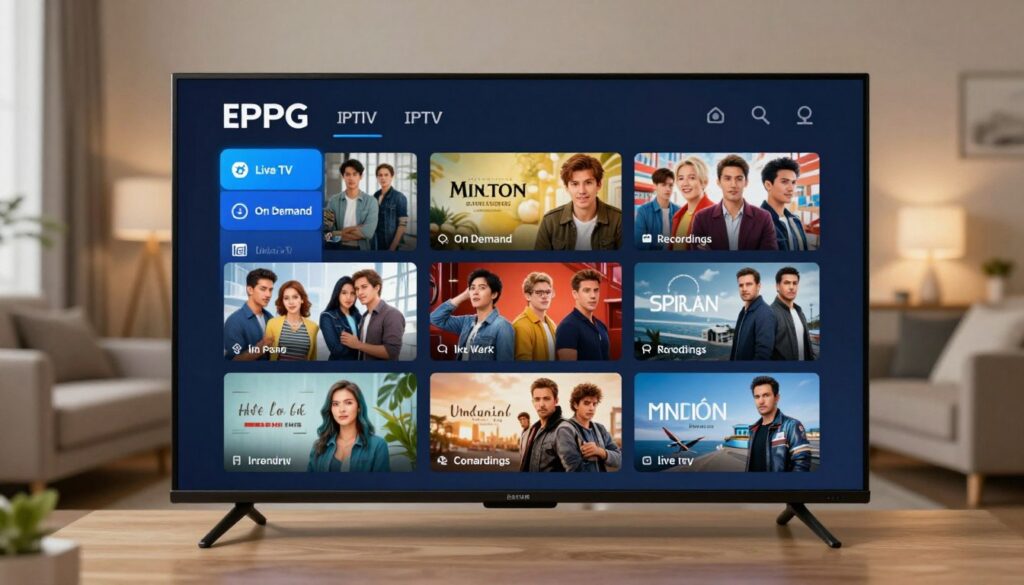
Modern television has evolved significantly, moving away from static aerial signals to dynamic digital streaming. At the heart of this transformation is the EPG on IPTV, a digital tool that helps viewers navigate vast libraries of entertainment with ease. Think of this feature as your personal assistant for your television. It organises broadcast schedules into an interactive format, allowing you to browse programmes, check show times, and plan your evening viewing effortlessly. For households across the United Kingdom, this technology is essential for a seamless viewing experience. By providing a clear, visual layout of available content, the EPG on IPTV ensures you never miss your favourite series or live sporting events. Key Takeaways Understanding the Basics of EPG on IPTV Modern households rely on sophisticated tools to manage their viewing habits, and the EPG on IPTV is at the heart of this experience. It serves as the primary interface for discovering content across hundreds of available channels. Defining the Electronic Programme Guide At its core, an Electronic Programme Guide acts as a digital television guide that provides users with schedule information for current and upcoming broadcasts. It organises data such as programme titles, start times, and genre descriptions into a user-friendly layout. “Technology is best when it brings people together and simplifies the way we access the stories we love.” This system allows viewers to browse through listings without needing to switch channels manually. By providing a clear overview of what is on, it transforms the television into an interactive hub for entertainment. The Evolution from Analogue Teletext to Digital IPTV The journey of the programme guide began with basic analogue teletext services. These early systems offered static, text-only pages that were slow to load and limited in their visual appeal. As technology progressed, the industry shifted toward the dynamic, data-rich interfaces we use today. This transition from simple text to a fully functional digital television guide has significantly improved accessibility for all viewers. Modern EPG on IPTV platforms now offer real-time updates and high-definition imagery. This evolution reflects a broader trend of prioritising user convenience and seamless navigation in our daily digital lives. How EPG Technology Functions Within IPTV Systems Exploring the technical backbone of your television service reveals how data transforms into a user-friendly guide. This process relies on a seamless flow of information from content providers directly to your home device. By understanding this backend architecture, you can appreciate the precision required to keep your IPTV programme schedule accurate and up-to-date. Data Transmission and Metadata Delivery The foundation of any reliable guide is the efficient transfer of IPTV metadata. This raw data contains essential details such as programme titles, start times, and brief descriptions. Servers continuously push these updates through the network to ensure that your device receives the latest information in real-time. Without this constant stream, the EPG on IPTV would quickly become outdated or inaccurate. Providers use specific protocols to package this information, ensuring it reaches your set-top box or smart television without delay. This ensures that even if a live broadcast runs over its scheduled time, the guide reflects the change almost instantly. The Role of Middleware in Displaying Schedules Once the data arrives at your device, it requires a translator to make it readable. This is where IPTV middleware becomes the most critical component of the system. It acts as the bridge between the raw data streams and the visual interface you interact with every day. The middleware processes the incoming IPTV metadata and organises it into a structured format. It then renders this information into the familiar grid layout that allows you to browse content effortlessly. By managing these complex background tasks, the IPTV middleware ensures that your IPTV programme schedule remains consistent across different platforms, whether you are watching on a mobile app or a large television screen. Key Components of a Modern IPTV Programme Guide Today, we explore the essential elements that transform a simple list of channels into a powerful media hub. A well-designed digital television guide serves as the primary gateway for your daily entertainment, ensuring that you spend less time searching and more time watching. Channel Lists and Categorisation Effective organisation is the backbone of any user-friendly interface. By grouping content into logical IPTV channel lists, providers help viewers navigate vast libraries with ease. Whether you prefer sports, news, or cinema, clear categorisation ensures your favourite content is always just a click away. A structured IPTV programme schedule allows for rapid filtering based on genre or language. This level of organisation prevents the frustration of scrolling through hundreds of irrelevant options. It turns a chaotic stream of data into a personalised viewing experience. Programme Descriptions and Metadata Beyond simple titles, modern guides provide rich metadata to inform your viewing choices. Detailed synopses, cast information, and genre tags help you decide what to watch in seconds. This depth of information is crucial for discovering new shows that align with your personal tastes. High-quality metadata acts as a valuable resource for viewers who want to know more about a programme before committing their time. It bridges the gap between a static list and an interactive, informative discovery tool. Time-Shifting and Catch-Up Integration Flexibility is a hallmark of modern streaming, and time-shifting technology is at the heart of this evolution. It allows you to pause, rewind, or restart live broadcasts, giving you complete control over your schedule. This feature ensures that you never miss a moment of your favourite live events. Furthermore, the seamless inclusion of IPTV catch-up services means that past broadcasts are readily available for on-demand viewing. This integration creates a fluid experience where the distinction between live and recorded content becomes almost invisible. Feature Benefit User Impact Categorised Lists Improved Navigation Saves time Rich Metadata Informed Choices Better discovery Time-Shifting Viewing Flexibility Total control Catch-Up Services On-Demand Access No missed shows The User Experience Benefits of Using an EPG Navigating the vast landscape of modern television is much simpler when you have the right tools at
Flix IPTV Player: Stream Live TV Channels & Shows
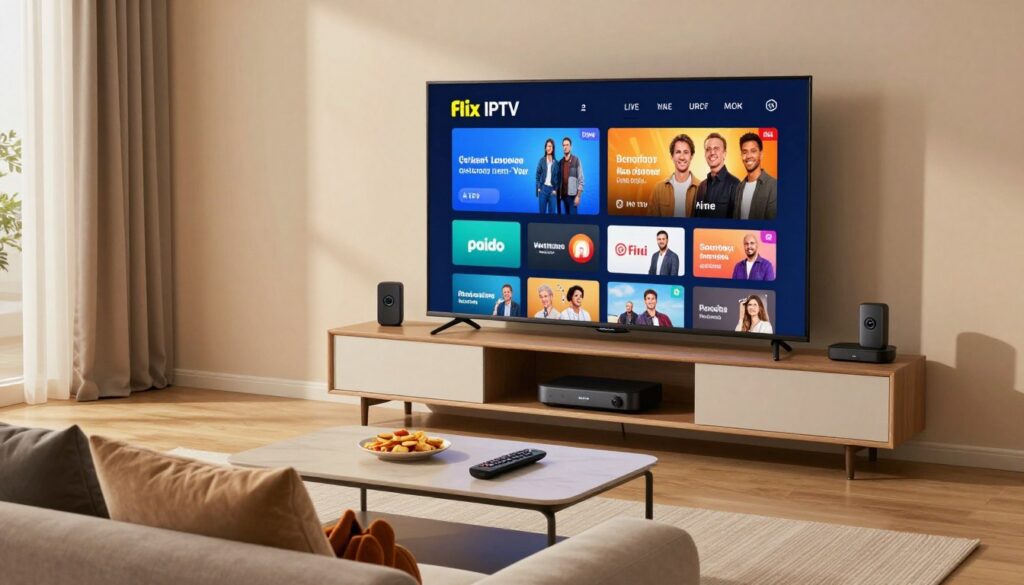
Welcome to the future of home entertainment, where your favourite content is always just a click away. Many households across the United Kingdom are moving away from traditional cable subscriptions to embrace more flexible digital solutions. Flix IPTV stands out as a premier choice for those seeking a seamless way to manage their media library. This versatile application allows you to access a vast array of Live TV channels with remarkable ease. Whether you are a fan of sports, news, or international cinema, the platform organises your viewing experience perfectly. It is truly the ideal companion for anyone looking to enjoy streaming shows without the usual technical headaches. Modern cord-cutters appreciate the intuitive interface that makes navigation simple for every family member. By choosing this player, you are investing in a reliable system that prioritises your comfort and entertainment needs. Discover why so many users now consider this software an essential part of their daily digital routine. Key Takeaways Understanding the Capabilities of Flix IPTV Exploring the technical architecture of Flix IPTV reveals why it is a top choice for viewers across the country. This application functions as a highly efficient digital media player, designed to handle complex data streams with ease. By focusing on stability and speed, the software ensures that your favourite content remains accessible at all times. Core Functionality and Media Playback At its heart, the application excels at processing diverse media formats, allowing for a versatile viewing experience. It is built to maintain high-definition streaming even when network conditions fluctuate. This reliability makes it a standout digital media player for those who demand consistent quality. The software intelligently manages buffer zones to prevent interruptions during playback. Whether you are watching live sports or on-demand films, the internal mechanics work silently to provide a smooth transition between frames. This focus on performance is what sets Flix IPTV apart from basic streaming tools. Compatibility with UK Streaming Standards To provide a seamless experience, the application is specifically optimised for the unique requirements of the IPTV player UK market. It aligns with local streaming protocols to ensure that content delivery remains fast and secure. This regional focus helps users avoid common connectivity issues often found in generic applications. By adhering to these standards, the platform guarantees that your device communicates effectively with local servers. Choosing a reliable IPTV player UK solution like this one means you can enjoy your media without worrying about compatibility errors. Ultimately, Flix IPTV bridges the gap between complex technology and user-friendly entertainment. Preparing Your Devices for Flix IPTV Installation Before you dive into the world of digital entertainment, a little preparation goes a long way. Taking the time to organise your hardware ensures that your Flix IPTV experience remains smooth and free from technical hiccups. A well-prepared device is the foundation of a high-quality viewing session. System Requirements for Android and Fire TV To enjoy the best performance, your hardware must meet specific standards. For Android TV streaming, ensure your device runs on a recent version of the operating system to maintain compatibility with modern apps. You should also verify that you have sufficient internal storage available for the application files. When performing a Fire TV setup, check that your device is updated to the latest firmware provided by the manufacturer. Keeping your software current prevents potential bottlenecks that could disrupt your media playback. Consistency is key when it comes to maintaining a reliable digital environment. “Success depends upon previous preparation, and without such preparation there is sure to be failure.” Confucius Ensuring Stable Internet Connectivity A robust internet connection is vital for any IPTV player UK user. High-definition content requires a steady stream of data to avoid buffering or sudden drops in quality. We recommend the following steps to optimise your local network: By following these simple maintenance tips, you significantly reduce the likelihood of encountering technical difficulties. Proper preparation at this stage allows you to focus on enjoying your favourite shows without constant interruptions. Reliable connectivity is truly the backbone of a premium streaming experience. Downloading and Installing the Flix IPTV Application Let us walk through the process of safely adding the application to your home entertainment system. A digital media player requires a clean and verified installation to function at its best. By taking a few moments to ensure you are using the correct files, you protect your hardware from unnecessary risks. Sourcing the Official Application It is essential to download your software only from trusted, official repositories. Using unofficial or modified versions can expose your device to security vulnerabilities that may compromise your personal data. Always verify the developer information before you begin the download process. For those managing an Android TV streaming environment, the official app store is your safest starting point. If you are performing a Fire TV setup, ensure you use the official downloader tools provided by the manufacturer. This simple habit keeps your system running smoothly and securely. Granting Necessary Permissions for Media Access Once the installation begins, the application will request specific permissions to interact with your device. Granting access to your local storage is crucial for the player to read your playlist files and cache data effectively. Without these permissions, the software cannot load your content or save your preferences. You can feel confident in allowing these requests, as they are standard for media applications. The software uses this access solely to manage your streaming library and improve playback stability. Please review the following table to understand why these permissions matter for your device. Permission Type Purpose Benefit to User Storage Access Reads M3U files Enables channel loading Network Access Connects to servers Ensures live streaming System Settings Optimises playback Reduces buffering issues Configuring Your M3U Playlist and EPG A smooth streaming experience starts with the correct configuration of your content sources. By setting up your media links properly, you turn your application into a personalised hub for all your favourite entertainment. This process might seem technical at first, but it is quite
IPTV Smarters Pro : Your Ultimate Streaming Solution
Welcome to the future of digital entertainment across the United Kingdom. Finding a reliable way to organise your favourite media can often feel like a daunting task in today’s crowded market. Fortunately, IPTV Smarters Pro has emerged as a premier streaming solution for modern viewers. This versatile application transforms your daily viewing habits by bringing all your content sources into one accessible hub. By choosing this platform, you gain complete control over your digital library. It remains a top choice for enthusiasts who value simplicity and high-quality performance in their home entertainment setup. Key Takeaways Understanding the Appeal of IPTV Smarters Pro IPTV Smarters Pro has quickly become a household name for those seeking a streamlined way to watch their favourite shows. Many people across the nation are looking for a reliable method to manage their digital content without unnecessary complexity. This application stands out by offering a user-friendly interface that simplifies the way we interact with live television and on-demand media. Why British Viewers Prefer This Interface British audiences often prioritise clarity and speed when navigating their entertainment options. The design of this platform caters to these needs by providing a clean, intuitive layout that avoids cluttered menus. Efficiency is at the heart of the experience, allowing users to find their preferred channels in seconds. The UK streaming landscape is highly competitive, yet this application remains a top choice due to its logical structure. By focusing on a user-friendly interface, the developers have ensured that even those who are not tech-savvy can enjoy a premium viewing experience. It removes the frustration often associated with digital media management. Compatibility Across Modern Devices One of the greatest strengths of this software is its broad device compatibility. Whether you are relaxing in the living room with a smart television or commuting with a mobile phone, the app performs consistently. This flexibility is essential for modern households that rely on a variety of hardware to stay connected. The seamless integration across tablets and handheld devices means your content is always within reach. By prioritising device compatibility, the platform ensures that your UK streaming habits are never interrupted by hardware limitations. It is truly a versatile solution designed for the diverse digital needs of today’s viewers. Getting Started with Your Installation Embarking on your journey with this application requires a simple and secure setup process. A successful IPTV installation serves as the foundation for a reliable and high-quality streaming experience on your home devices. Downloading the Application Safely To maintain the integrity of your hardware, always source your software from official channels. Downloading from verified websites prevents the risk of malware or corrupted files that can compromise your system security. Always verify the file signature if you are downloading from a browser. By sticking to trusted repositories, you ensure that your IPTV installation remains clean and free from unwanted background processes. Initial Configuration and User Permissions Once the download is complete, the first launch is a critical moment for your setup. You will be prompted to grant specific permissions, such as access to your network and local storage, which are vital for the app to function correctly. It is essential to review these requests carefully during the initial configuration. Granting the correct permissions allows the software to cache content efficiently and maintain a stable connection to your service provider. Following these steps ensures that your IPTV installation is optimised for performance from the very first use. Taking a moment to configure these settings properly will save you time and prevent technical headaches later on. Navigating the User Interface A well-organised dashboard is the secret to unlocking the full potential of your digital media collection. By understanding how to move through the menus, you ensure that your time is spent watching content rather than searching for it. This user-friendly interface is designed to keep your favourite entertainment just a few clicks away. Mastering the Dashboard Layout The primary dashboard acts as your central hub for all media activities. You will notice that the main categories are clearly labelled, allowing for quick access to live television, films, and series. Navigating these sub-menus becomes second nature once you familiarise yourself with the logical structure of the software. “Simplicity is the ultimate sophistication in design, especially when it comes to managing your home entertainment.” If you ever feel lost, simply return to the home screen to reset your navigation path. The user-friendly interface ensures that even complex libraries remain easy to browse. You can quickly filter your results to find exactly what you need without any unnecessary delay. Customising Your Viewing Experience Personalisation is essential for creating a setup that reflects your unique entertainment preferences. You can adjust the display settings to change how your content is presented on the screen. This level of control allows you to tailor the visual aesthetic to suit your personal taste. Beyond visual changes, you can also modify how the application handles your media history and playback preferences. By taking the time to explore these settings, you create a truly user-friendly interface that works for you. Remember that small tweaks to your configuration can lead to a much more enjoyable and seamless viewing experience every single day. Managing Your Live Television Channels Streamlining your daily viewing habits starts with how you organise your broadcast channels. When you have access to hundreds of options, finding the right live TV content can sometimes feel overwhelming. By taking a few moments to tidy your digital workspace, you ensure that your most-watched programmes are always just a click away. Organising Favourites for Quick Access Creating a bespoke list of channels is the most effective way to improve your streaming flow. You can curate a selection of your preferred networks, ensuring that you never waste time scrolling through content you do not enjoy. This personalised approach allows you to focus entirely on the shows that matter most to you. To set up your favourites, follow these simple steps: Utilising the Electronic Programme Guide The EPG guide
Kodi IPTV : Stream Your Favorite Shows Today
Welcome to the exciting world of modern home entertainment. If you are looking for a way to organise your digital media, you have come to the right place. Many people across the country are discovering how Kodi IPTV can revolutionise their viewing habits. This open-source platform offers incredible flexibility for UK streaming. It transforms your standard television into a comprehensive hub for all your favourite programmes and films. By centralising your content, you can spend less time searching and more time enjoying your media. Using this method allows you to manage your digital libraries with ease. It is a popular choice for those who want a tailored experience. Whether you are a casual viewer or a dedicated enthusiast, this setup provides the ultimate control over your entertainment library. Key Takeaways Understanding the Basics of Kodi IPTV Before you begin streaming, it is helpful to grasp the core mechanics behind this versatile platform. Kodi is far more than just a simple application; it is a comprehensive solution for managing your digital life. What is Kodi and How Does it Function as a Media Centre At its heart, Kodi is a powerful, open-source media centre designed to bring all your digital content into one place. It acts as a central hub, allowing you to organise and play videos, music, and photos across a wide variety of devices. The software is highly customisable, which is why it remains a favourite for enthusiasts. Its architecture allows for a modular design, meaning you can add specific features to suit your personal needs. Key benefits include: The Legal Landscape of IPTV Streaming in the United Kingdom When exploring the world of streaming, it is vital to consider the IPTV legal framework within the United Kingdom. While the software itself is perfectly legal to download and use, the content you choose to access is where you must exercise caution. You should always ensure that you are using legitimate services that hold the proper broadcasting rights. Accessing copyrighted material through unauthorised sources can lead to significant issues, so it is best to stick to official providers. Staying informed about IPTV legal standards helps you enjoy your favourite shows with peace of mind. By choosing reputable sources, you protect your network and ensure a high-quality, uninterrupted experience for your household. Preparing Your Hardware for Optimal Streaming A smooth streaming journey begins with selecting the right equipment for your home. When you focus on the quality of your streaming hardware, you avoid the frustration of lag and stuttering during your favourite programmes. Proper preparation ensures that your device can handle the software demands with ease. Taking the time to verify your setup now will save you significant effort later on. Choosing the Right Device for Kodi Installation Not every device is built to provide a seamless experience. For a successful Kodi installation, you should look for hardware that features at least 2GB of RAM and a quad-core processor. Popular options like the Amazon Fire TV Stick or dedicated Android TV boxes often provide the best balance of performance and affordability. “Technology is best when it brings people together and makes life simpler.” — Matt Mullenweg The following table outlines the recommended specifications to keep in mind when selecting your device: Component Minimum Requirement Recommended RAM 1GB 2GB or more Processor Dual-core Quad-core Storage 8GB 16GB+ Ensuring a Stable Internet Connection for High-Definition Content Even the most powerful device will struggle if your internet connection is weak. High-definition content requires a consistent data flow to prevent buffering interruptions. We strongly recommend using a wired Ethernet connection whenever possible to maintain maximum stability. If you must rely on Wi-Fi, ensure your router is placed in an open area away from physical obstructions. A 5GHz frequency band is usually superior to 2.4GHz for streaming, as it offers faster speeds and less interference from other household devices. By optimising your network, you ensure that your Kodi installation delivers the crisp, clear picture quality you expect. Installing the Kodi Application on Your Device You can easily transform your hardware into a powerful entertainment hub by following these simple steps. A successful Kodi setup is the foundation for a reliable and enjoyable streaming experience on any compatible device. Downloading Kodi for Windows and macOS To begin, always download the software directly from the official website to ensure you have the most secure and stable version. Avoid third-party mirrors to protect your system from unwanted files. Once the installation finishes, launch the application to verify that it opens correctly. You should see the default interface, which confirms that the software is ready for further customisation. Setting up on Android TV Boxes and Fire TV Sticks Installing the application on an Android-based device or a Fire TV Stick requires a slightly different approach. Since these devices often rely on sideloading, you must first adjust your security settings to allow installations from unknown sources. Follow these steps to complete your Kodi setup on your streaming hardware: After the installation is complete, you can find the application in your device’s app library. Using a Fire TV Stick provides a compact and efficient way to enjoy your media, provided you have followed these steps carefully. Configuring the IPTV Simple Client Add-on The next phase of your journey involves setting up the essential tool that connects your media centre to live streams. The PVR Simple Client acts as a vital bridge, allowing your software to communicate effectively with external streaming sources. Without this component, your interface would remain empty, lacking the necessary data to display live television channels. Accessing the Add-on Repository within Kodi To begin the process, you must navigate to the official add-on repository built directly into your software. This central hub contains a vast library of tools designed to extend the functionality of your media centre. Finding the right utility is a straightforward task if you follow the menu structure carefully. Start by opening your main dashboard and selecting the “Add-ons” tab from the sidebar. From there, choose
Tivimate : The Ultimate IPTV Media Streaming App
In the rapidly evolving world of digital entertainment, finding a reliable way to organise your content is essential. Tivimate has emerged as the premier IPTV media player for those who demand a seamless viewing experience on their Android TV or Firestick devices. This powerful streaming app transforms how you interact with your chosen IPTV service. By offering advanced channel management and a highly refined user interface, it sets a new standard for modern media streaming. Whether you are configuring an M3U playlist or integrating EPG sources, the platform ensures your setup remains intuitive and efficient. Users can easily customise TV guide layouts or utilise the Xtream Codes API for a more stable connection. With features like Catch-up TV, Picture-in-Picture, and flexible recording storage, it caters to every viewer’s needs. A premium subscription further unlocks professional tools, including detailed buffer settings and comprehensive troubleshooting options to keep your broadcast running smoothly. Key Takeaways Understanding the Appeal of Tivimate Modern viewers demand more than just basic channel access from their streaming software. As the way we consume media changes, the need for a reliable and intuitive IPTV media player has never been greater. Tivimate has emerged as a leader in this space by prioritising a clean, user-friendly design that makes digital entertainment feel effortless. Why UK Viewers Prefer Tivimate UK audiences often look for software that balances functionality with a polished aesthetic. Tivimate excels here by offering a highly customisable interface that allows users to organise their favourite channels exactly how they like. This streaming app provides a level of stability that is often missing from other platforms, ensuring that your viewing experience remains uninterrupted. Many users appreciate the seamless integration of electronic programme guides, which is essential for keeping track of British television schedules. By focusing on reliability, the developers have created a tool that feels like a natural extension of a modern smart television. It is this attention to detail that keeps enthusiasts coming back to the platform. The Evolution of IPTV Media Players The journey of these applications has been quite remarkable over the last decade. Early versions were often clunky, basic tools that lacked the sophistication required for a modern home cinema setup. Today, the landscape has shifted toward feature-rich applications that offer advanced playback options and professional-grade organisation. Tivimate represents the pinnacle of this evolution, transforming how we interact with digital entertainment. It has moved beyond simple video playback to become a comprehensive IPTV media player that rivals traditional cable boxes. By choosing a high-quality streaming app, you are investing in a future-proof way to enjoy your favourite content with ease. Getting Started with Tivimate Getting started with this application is simple once you understand the basic requirements for your device. Establishing a stable foundation is essential for a seamless streaming experience, ensuring that your hardware can handle high-definition content without interruption. Device Compatibility and Requirements To enjoy the full potential of this IPTV media player, your hardware must meet specific criteria. It is primarily designed for devices running the Android operating system, which makes it a perfect match for most modern streaming boxes. If you are using an Android TV or a Firestick, you are already in a great position to begin. These devices offer the processing power and memory needed to run the interface smoothly. We recommend ensuring your device has at least 2GB of RAM to avoid any potential performance bottlenecks during heavy usage. Downloading and Installing on Android TV and Firestick The installation process is quite intuitive, though it requires a few specific steps to ensure everything is configured correctly. Follow this guide to get Tivimate up and running on your preferred hardware: By following these steps, you ensure that your software is installed cleanly and ready for configuration. Taking the time to verify your setup now will save you from troubleshooting common hardware limitations later on. Key Features of Tivimate The true power of this software lies in its ability to balance complex features with a simple, clean design. It has quickly become a favourite streaming app for those who value both performance and aesthetics. By focusing on the needs of the modern viewer, the developers have created a tool that feels intuitive from the very first use. Modern User Interface Design The user interface is arguably the most impressive aspect of the platform. It prioritises visual clarity, ensuring that your favourite channels and programmes are always easy to find. You will notice that the layout is clean, responsive, and free from the clutter often found in other media streaming solutions. Support for Multiple Playlists Flexibility is at the heart of the experience, especially with robust support for multiple playlists. Users can easily aggregate content from various sources into one unified guide. This feature allows you to manage your subscriptions efficiently without needing to switch between different applications constantly. Catch-up and Recording Functionality Never miss a moment of your favourite shows thanks to the integrated catch-up TV and recording tools. These features provide you with total control over your viewing schedule, allowing you to watch content on your own terms. Whether you are recording a live event or accessing past broadcasts, the process remains seamless and reliable. Feature Benefit User Impact Modern UI Visual Clarity Improved Navigation Multi-Playlist Centralisation Better Organisation Catch-up TV Flexibility Convenient Viewing Recording Control Time-shifted Media Setting Up Your IPTV Service Proper configuration of your streaming application ensures that all your favourite channels load perfectly every time. Taking the time to set up your IPTV service correctly prevents common errors and provides a much smoother viewing experience for your household. Adding M3U playlists The most common way to connect your provider is by using an M3U playlist URL. You simply navigate to the playlist section in the app settings and select the option to add a new source. Once you paste the provided link, the application will automatically fetch your channel list and categories. Configuring Xtream Codes API For a more integrated experience, many users prefer using
Can I Record on IPTV in the UK?
Many television enthusiasts across the United Kingdom are exploring modern ways to manage their favourite programmes. As digital streaming becomes the standard, the desire to Record on IPTV has grown significantly among viewers who value flexibility. Understanding the technical landscape is essential for anyone hoping to save content for later viewing. While the convenience of digital media is clear, navigating the specific regulations surrounding IPTV recording UK requires a bit of patience and research. This guide aims to simplify these complex topics for you. We will examine the practical possibilities and legal considerations to ensure you stay informed while enjoying your home entertainment setup. Key Takeaways Understanding IPTV and Recording Capabilities The shift from traditional broadcast signals to internet-delivered content has fundamentally altered how we consume media in the United Kingdom. As viewers move away from legacy systems, many are looking for ways to Record on IPTV to maintain control over their viewing schedules. The Evolution of Television Viewing Television has travelled a long path from the days of simple analogue aerials and basic satellite dishes. We have moved into an era where high-speed broadband provides the backbone for our entertainment. This transition allows for greater flexibility, yet it requires a new approach to how we save content for later. Understanding this shift is essential for any modern viewer. How IPTV Differs from Traditional Broadcast Traditional television relies on constant broadcast waves sent to your home via an antenna or dish. In contrast, IPTV delivers content through data packets sent over your internet connection. Because these packets arrive on demand, recording IPTV streams is not as straightforward as pressing a button on a standard digital video recorder. The data must be captured and reassembled correctly to ensure the video remains watchable. Why Recording IPTV is More Complex than Satellite Satellite systems use a dedicated tuner that locks onto a specific frequency to capture a signal. IPTV, however, is subject to the fluctuations of your home network and the server-side delivery of the provider. When you attempt to Record on IPTV, you are essentially managing a live data stream rather than a static broadcast wave. This complexity is why recording IPTV streams often requires specialised software or hardware solutions to bypass the limitations of standard consumer electronics. The Legal Landscape of Recording IPTV in the UK Understanding the legal landscape of IPTV recording UK is the first step toward responsible media consumption. While technology makes it easy to capture your favourite shows, you must ensure your actions align with local regulations. Staying informed helps you enjoy your digital library without worrying about potential legal pitfalls. Copyright Laws and Personal Use In the United Kingdom, IPTV copyright laws are designed to protect the intellectual property of content creators and broadcasters. Generally, recording content for strictly personal, private use is a complex area of law. You should always be aware that distributing or sharing recorded material is strictly prohibited and can lead to serious consequences. The concept of “fair dealing” does not typically extend to the mass recording or redistribution of copyrighted broadcasts. Always ensure that your recording habits remain private and are not used for any commercial gain. Respecting these boundaries is essential for staying on the right side of the law. Distinguishing Between Legal Services and Piracy It is vital to differentiate between legitimate platforms and unauthorised piracy services. A legal IPTV recording experience is only possible when you use authorised providers that hold the necessary broadcasting licences. These services pay royalties to content owners, ensuring that the creative industry remains sustainable. Conversely, piracy platforms often bypass these legal requirements, which can expose you to security risks and legal scrutiny. If a service offers premium content for an suspiciously low price or lacks clear licensing information, it is likely illegitimate. Always verify that your provider is authorised to distribute the content you are watching. The Importance of Terms of Service Agreements Every IPTV provider includes a Terms of Service (ToS) agreement that outlines what you can and cannot do with their stream. These documents often contain specific clauses regarding the recording and storage of media. You should carefully read these agreements to understand the limitations imposed by your specific service provider. Violating these terms can result in the suspension of your account or other penalties. By adhering to the rules set out by your provider, you protect your access to the service. Responsible usage ensures that you can continue to enjoy your favourite programmes without interruption. How to Record on IPTV Using Hardware Solutions For those who enjoy hands-on control, using an IPTV hardware recorder is a fantastic way to archive content. Many enthusiasts prefer physical equipment because it provides a stable and dedicated environment for managing their media library. By moving away from software-only solutions, you can often achieve more consistent results with your home entertainment system. Utilising External Capture Cards External capture cards act as a bridge between your digital stream and your storage device. These units are particularly effective for recording IPTV streams when you want to maintain high visual fidelity. You simply connect the output from your source device into the capture card, which then feeds the data into your computer for processing. This method is highly favoured by users who want to edit their recordings later. High-quality capture cards ensure that the frame rate remains smooth and the audio stays perfectly synchronised with the video. It is a reliable way to build a permanent archive of your favourite shows. Connecting Set-Top Boxes to Dedicated Recorders If you prefer not to use a computer, you can connect your set-top box directly to a dedicated digital video recorder. This setup often requires an HDMI splitter to bypass certain signal restrictions while maintaining a clear path for the video feed. Direct hardware connections are generally more straightforward for daily use. Once the cables are securely in place, you can schedule your recordings directly through the interface of the recorder. This approach keeps your main computer free for other
How to Choose an IPTV Subscription in the UK With IPTV Smarter UK
Digital streaming has transformed how households across the United Kingdom consume entertainment. With countless options available, finding the right IPTV Subscription can feel like a daunting task for many viewers. Selecting a reliable service is essential to ensure you enjoy a high-quality viewing experience without constant buffering. This is where IPTV Smarter UK makes a significant difference by simplifying how you manage your digital content. Our guide helps you navigate the complex market of streaming services with ease. We aim to provide you with the clarity needed to make an informed choice for your home entertainment setup. Key Takeaways Understanding the IPTV Landscape in the United Kingdom Digital television has moved far beyond the traditional aerial, opening up new possibilities for British households. The rapid transition from terrestrial broadcasting to internet-based solutions has changed how we consume our favourite shows and live events. This shift has made the UK streaming market more flexible than ever before. Viewers now enjoy personalised content that fits their busy schedules rather than waiting for a set broadcast time. The Evolution of Digital Television The journey of television in the UK has been marked by constant innovation. We have moved from basic analogue signals to high-definition satellite and now to the era of high-speed internet delivery. This progression allows for a more interactive experience. Modern digital television platforms provide access to global content libraries that were previously unavailable to the average viewer. Today, households can curate their own entertainment packages with ease. This level of control is the primary reason why so many people are moving away from traditional cable contracts. Why IPTV Smarter UK is the Preferred Interface As the market grows, finding a reliable way to manage your subscriptions becomes essential. IPTV Smarter UK stands out as a top choice for users who value both simplicity and performance. The interface is designed to be intuitive, ensuring that even those who are not tech-savvy can navigate their channels without frustration. It provides a stable environment that keeps your viewing experience smooth and uninterrupted. There are several reasons why this platform remains a favourite among British users: By choosing a robust interface like IPTV Smarter UK, you ensure that your home entertainment setup remains future-proof. It is the perfect bridge between complex technology and a relaxed viewing experience. Assessing Your Streaming Requirements Taking a moment to assess your specific streaming requirements will save you time and money in the long run. Before you commit to a service, it is vital to evaluate how your household consumes media to ensure the plan you choose provides genuine value. By understanding your habits, you can avoid paying for features you do not need while ensuring you have access to the programmes that matter most to you. A little preparation goes a long way in creating a seamless entertainment experience for everyone at home. Identifying Your Preferred Content Genres The first step in your selection process involves identifying your favourite content genres. Different providers specialise in various types of media, so knowing your preferences is key to satisfaction. Consider the following categories when reviewing potential packages: Determining Simultaneous Device Needs Beyond the type of content, you must consider how many people will be watching at the same time. Determining your simultaneous device needs is crucial to avoid service limitations or frustrating interruptions during peak viewing hours. If you live in a busy household, look for plans that support multiple concurrent streams. This ensures that while one family member enjoys a live match, another can watch a film in a different room without any technical friction. Always check the provider’s policy on device limits to ensure your subscription scales with your family’s lifestyle. Evaluating Technical Reliability and Server Stability Technical reliability is the silent hero behind every high-definition broadcast you enjoy at home. When you choose a service, you are essentially relying on their digital infrastructure to deliver content directly to your screen without interruption. Prioritising server stability ensures that your favourite programmes remain clear and consistent, regardless of how many people are watching at the same time. The Importance of Low Latency and Buffering Prevention Live events, such as premier league football or breaking news, require a stable connection to remain enjoyable. Low latency is vital because it reduces the delay between the live action and what you see on your television. Without this, you might hear your neighbours cheering for a goal seconds before you actually see it happen on your own screen. Effective buffering prevention techniques are also essential for a smooth experience. Providers that use advanced content delivery networks can manage traffic spikes more efficiently. This approach prevents the dreaded spinning wheel that often interrupts high-demand broadcasts. “In the world of digital streaming, the quality of the connection is just as important as the content itself. A reliable stream is the foundation of a modern home entertainment setup.” Checking for UK-Based Server Infrastructure One of the most effective ways to ensure a high-quality stream is by selecting a provider that utilises UK-based servers. When data travels a shorter distance from the server to your home, your connection speed naturally improves. This proximity reduces the chance of packet loss and keeps your stream running at peak performance. Local infrastructure is particularly beneficial for users in the United Kingdom. It allows for faster data retrieval and a more stable link during peak evening hours. The following table highlights why local infrastructure matters for your daily viewing habits. Feature Local Server International Server Connection Speed High Variable Latency Levels Minimal Noticeable Buffering Risk Very Low Moderate Overall Reliability Excellent Inconsistent Analysing Channel Variety and Quality When you look for a new service, the channel variety often stands out as the most important factor for your household. A diverse library ensures that every member of the family finds something engaging to watch, from news and documentaries to lifestyle programmes. Selecting a provider that offers a broad spectrum of content is the first step toward a satisfying viewing experience. Accessing
IPTV Pricing in the UK: Why IPTV Smarter UK Is the Best Choice
The way we consume television across the United Kingdom has changed dramatically in recent years. Many households are moving away from traditional satellite packages to find more flexible ways to enjoy their favourite programmes. As digital habits evolve, finding a balance between quality entertainment and monthly costs has become a top priority for families. Understanding IPTV Pricing is essential for anyone looking to streamline their home media setup without overspending. With so many options available, it can be difficult to identify which services offer genuine value for money. This is where IPTV Smarter UK stands out as a reliable and cost-effective solution tailored to British viewers. By choosing the right provider, you can enjoy a seamless viewing experience that fits your lifestyle perfectly. We will explore how this service aligns with your needs, ensuring you get the most out of your digital subscription. Key Takeaways Understanding the Current Landscape of IPTV Pricing Modern digital entertainment in the United Kingdom is no longer tied to rigid, expensive broadcast contracts. The market has shifted significantly as households move away from traditional models toward flexible internet-based solutions. This evolution reflects a broader change in how we access our favourite content daily. The rise of various UK streaming services has created a highly competitive environment for providers. Viewers now expect high-quality British television without the burden of long-term financial commitments. This demand for freedom is reshaping the entire industry landscape. Economic pressures have forced many families to re-evaluate their monthly entertainment budgets. Consumers are actively seeking transparent pricing that allows them to manage their finances more effectively. Understanding these market dynamics is essential for anyone looking to make an informed decision about their home setup. To help you compare the changing costs of modern entertainment, we have outlined the typical differences between legacy systems and current digital alternatives below: Service Type Pricing Model Contract Length Traditional Cable High Fixed Cost 12-24 Months Satellite TV Premium Tiered 18 Months Modern IPTV Flexible Monthly No Commitment Streaming Apps Subscription Based Rolling Monthly By choosing a more adaptable approach, you can ensure that your viewing habits align with your budget. The current state of British television is defined by this shift toward user-centric, cost-effective technology. Making the right choice today provides long-term value for your household. Why British Viewers Are Switching to IPTV Smarter UK The landscape of home entertainment in the UK is shifting rapidly as viewers seek smarter ways to watch. Many households are tired of being locked into expensive, long-term contracts that offer little flexibility. Instead, they are turning toward affordable IPTV solutions that put the power back into the hands of the consumer. This migration is driven by a clear desire for better value and more control over monthly household budgets. By choosing IPTV Smarter UK, families can enjoy a vast array of content without the burden of hidden fees or restrictive service agreements. It is a modern approach for a modern audience that values both performance and financial freedom. “The traditional model of television subscription is becoming a relic of the past. Today’s viewers demand agility, transparency, and high-quality service that adapts to their lifestyle rather than dictating it.” Legacy providers often frustrate customers with complex bundles and rising costs that seem to have no end. In contrast, IPTV Smarter UK provides a streamlined experience that focuses on what truly matters: reliable access to your favourite programmes. The following table highlights why this transition is becoming the standard for savvy British viewers. Feature Traditional Cable IPTV Smarter UK Contract Length 12-24 Months Flexible/No Contract Pricing Model Fixed/Rising Affordable/Transparent Setup Process Engineer Required Instant/Self-Service Content Access Limited Bundles Extensive Library Making the switch is not just about saving money; it is about reclaiming your viewing experience. As more people discover the benefits of an affordable IPTV service, the trend away from traditional satellite and cable providers continues to grow. Choosing a service that prioritises the user ensures that your entertainment remains both enjoyable and cost-effective. The Core Benefits of Choosing IPTV Smarter UK Many British households are discovering that IPTV Smarter UK offers a superior balance of features and performance. When you search for the best IPTV provider, you quickly realise that content breadth and technical stability are the two most important factors for a satisfying experience. Unrivalled Channel Variety for UK Households Accessing a wide range of entertainment is a top priority for modern viewers. IPTV Smarter UK provides an extensive library that covers everything from live sports and news to international cinema and children’s programming. This variety ensures that every member of the family finds something to enjoy. By consolidating your entertainment needs into one platform, you gain exceptional value for money without needing multiple separate subscriptions. High-Definition Streaming Quality and Reliability Visual clarity is essential for a truly immersive viewing experience. Our service prioritises high-definition streaming to ensure that your favourite shows and films look crisp on any screen size. Reliability is just as important as image quality. We maintain robust server infrastructure to keep your connection stable and uninterrupted, even during peak viewing hours. This commitment to performance is why many consider us the best IPTV provider in the region. Feature Standard Cable IPTV Smarter UK Channel Count Limited Extensive Streaming Quality Variable High-Definition Value for Money Low High Flexibility Rigid High Transparent IPTV Pricing Models Explained Navigating the world of digital television shouldn’t feel like a complex financial puzzle. When you look for IPTV pricing, you deserve complete clarity regarding what your monthly bill covers. We believe that honesty in billing is the cornerstone of a positive customer experience. Avoiding Hidden Costs and Long-term Contracts Many traditional providers trap customers in restrictive, multi-year agreements that are difficult to cancel. In contrast, our approach focuses on flexibility and trust. You will never find surprise fees or unexpected charges added to your monthly statement. By choosing an affordable IPTV service, you maintain full control over your finances. We prioritise a straightforward model where you pay for the service you